

From quote to close-out.
Built around your business.
Connect estimating, purchasing, site delivery and project financials. Keep budgets, progress and forecast outcomes in view.
Start with the components you need. Build on the tools already working for you.
Complete project operations
Every project buildsyour advantage.
Connect the work to its financial outcome, from quote to close-out. Carry what you learn into the next job.
06 / Learn
Experience you can build on.
Compare what you allowed with what the work actually took. Bring the evidence into your next estimate and delivery plan.
See how it connects →The whole picture. Your starting point.
Start with the components you need, alongside the tools already working for you. Expand when it makes sense.

Give every task
a clear cost picture.
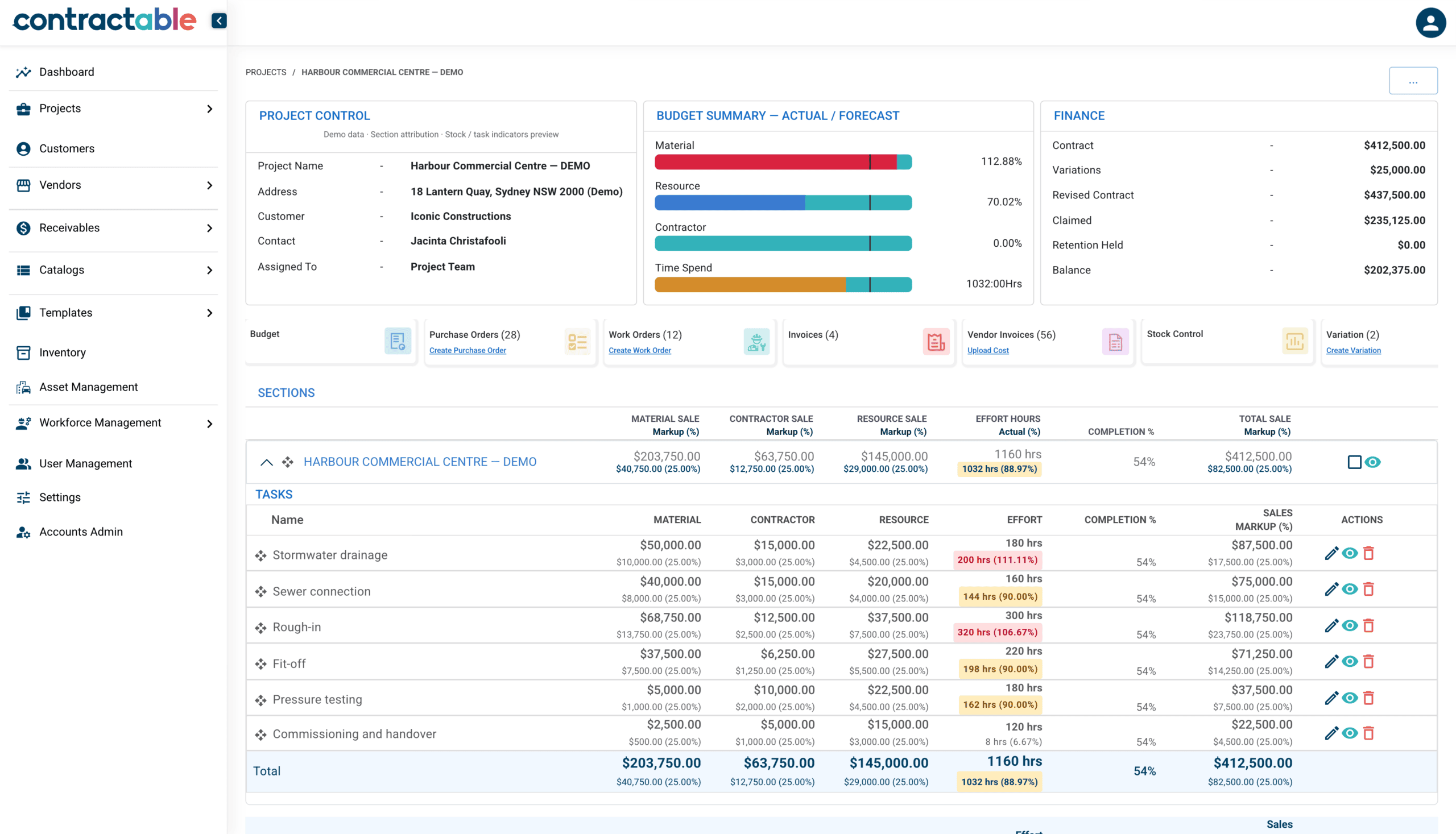
Bring the budget, purchasing and project costs into one view.
Connected to what happens on site

Time and materials.
Against the right task.
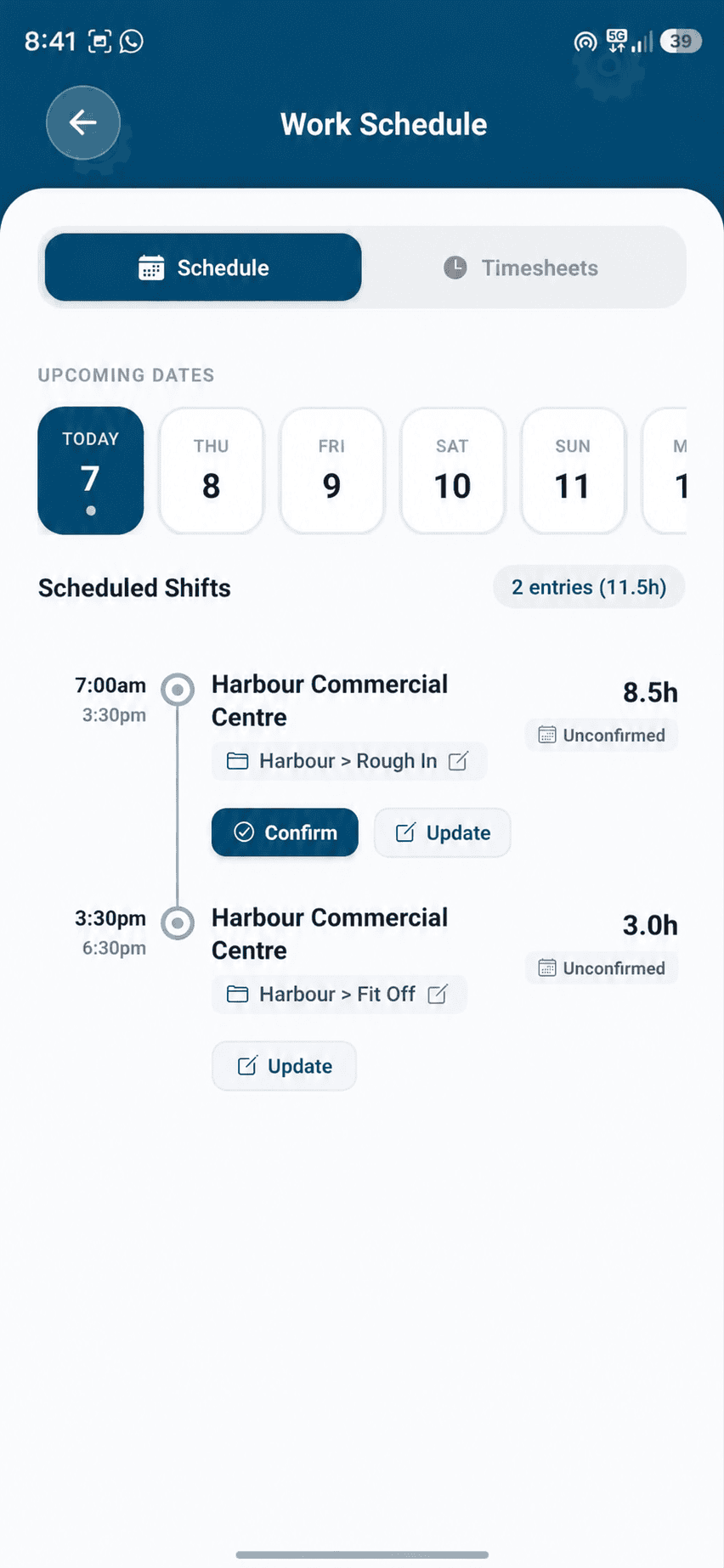
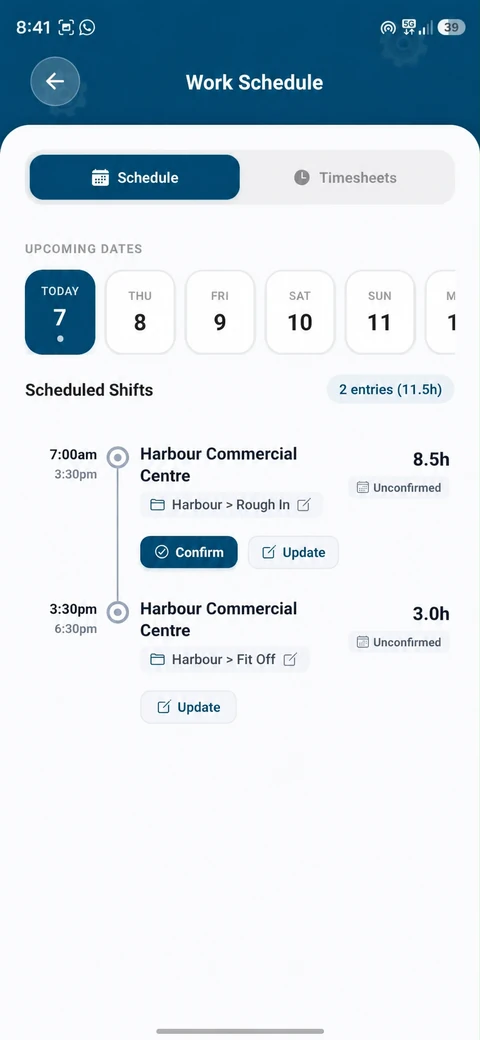
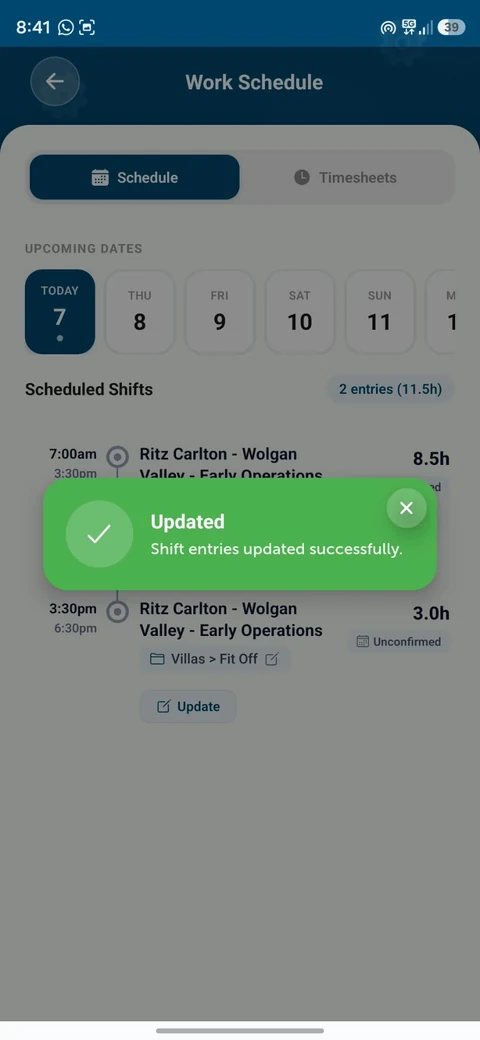
Record task hours, raise purchase orders and capture delivery dockets—so labour and materials are tied to the work.
Ready for the office.
Commercial cost control,
built into the job.
Connect approved labour and purchasing to the budget. See what was allowed, committed and spent—and where to act.
One project. A clearer view for the whole team.
See it in your next projectBook a demo with the Contractable team.
Your first project, configured around your job. One project up to AU$1,000,000, with up to 25 tasks and subtasks, unlimited office users and three Mobile users. Full platform. No expiry — free until you start a second project. Consultation first, then we configure the account around your job.
Know what the work is costing while the job is running
The estimate is what you allowed. The hours and orders are what happens next. Keeping them in separate places makes the job harder to read.
Contractable brings those records back to the work they belong to. You can check the allowance against the costs being recorded, then decide what needs your attention before the next order or the next shift.
Not a construction business? The same structure works wherever work is quoted, costed and billed — a configurable ERP where you keep your existing general ledger. Beyond construction.
Start with the records behind the number
A cost against the work. A timesheet against the task. Open the records and check what has been entered.
The cost position
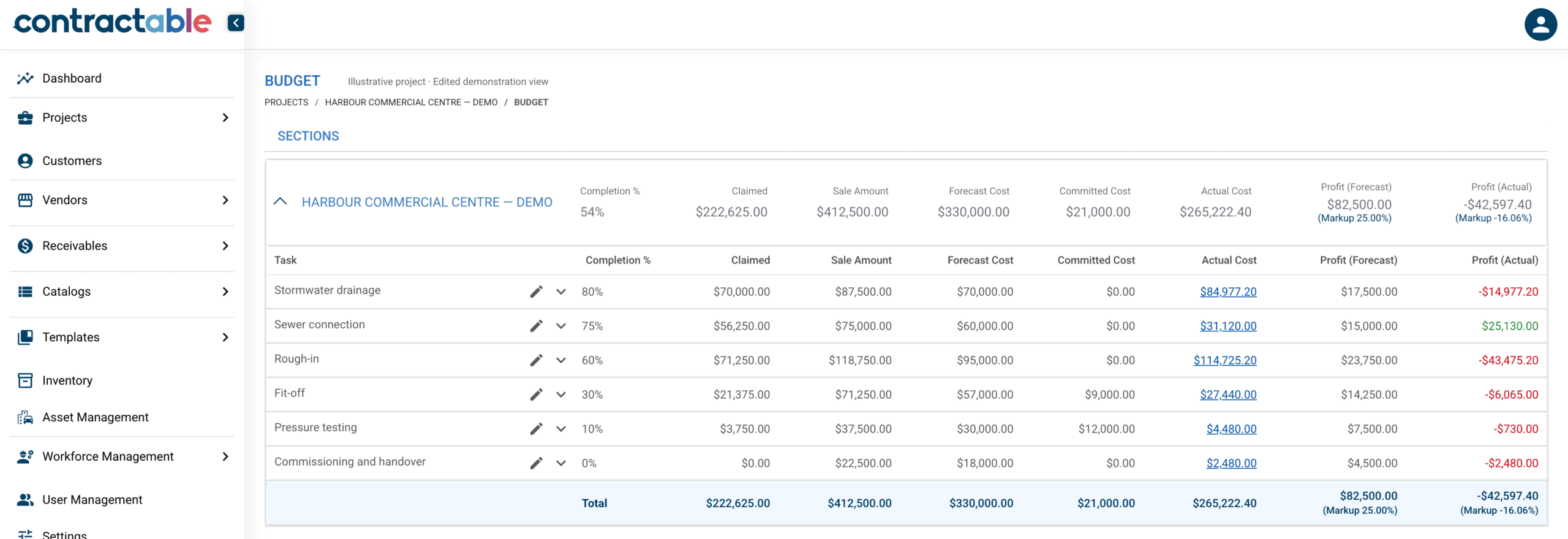
Compare actual cost with the allowance for the task, then investigate the records behind the movement.
The approved hours
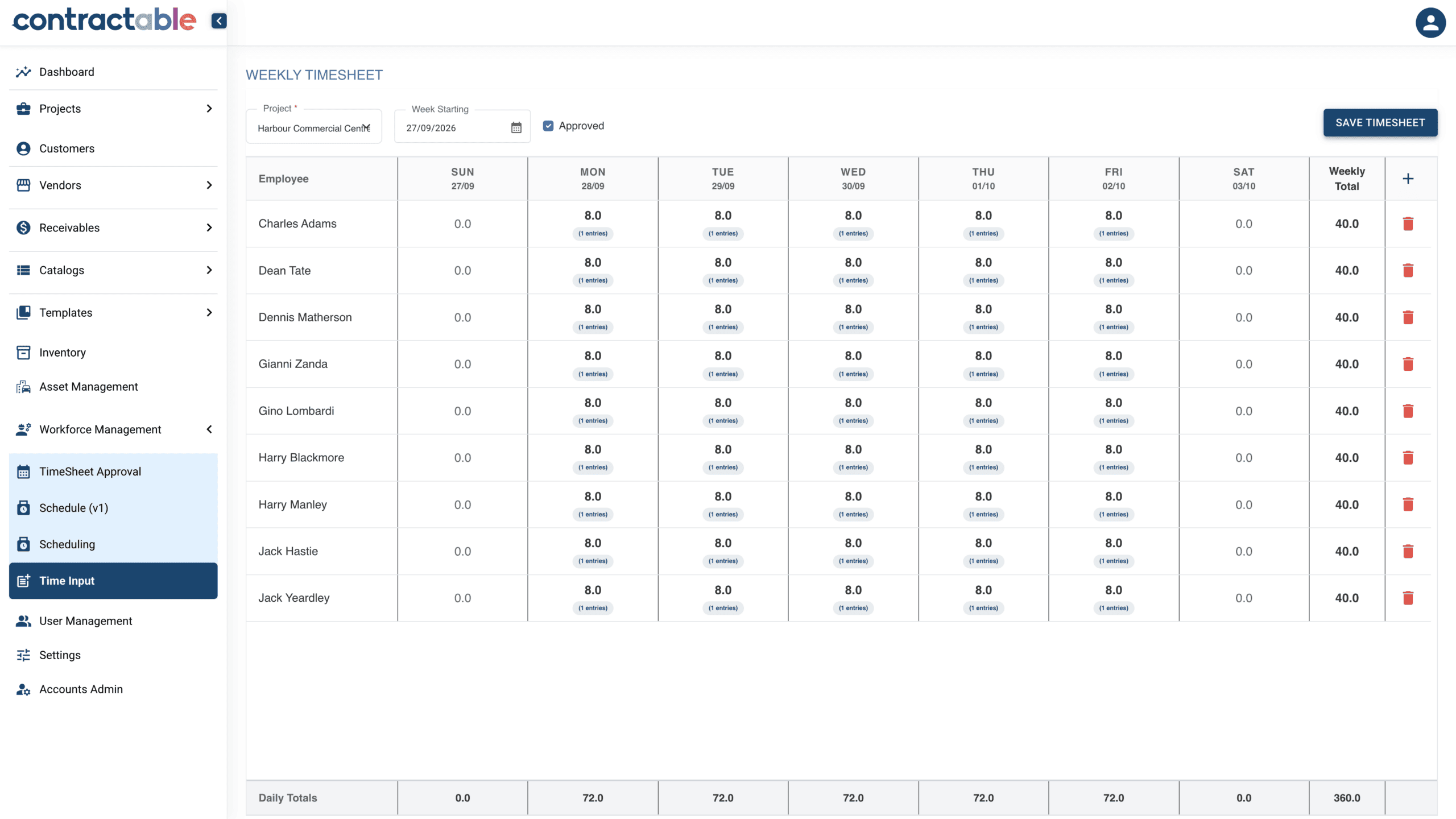
Worked hours are submitted for management approval before they become actual labour cost.
Follow the cost to its source.
Open a task. Break out materials, subcontractors and labour. Follow the cost to its order, invoice or approved shift.
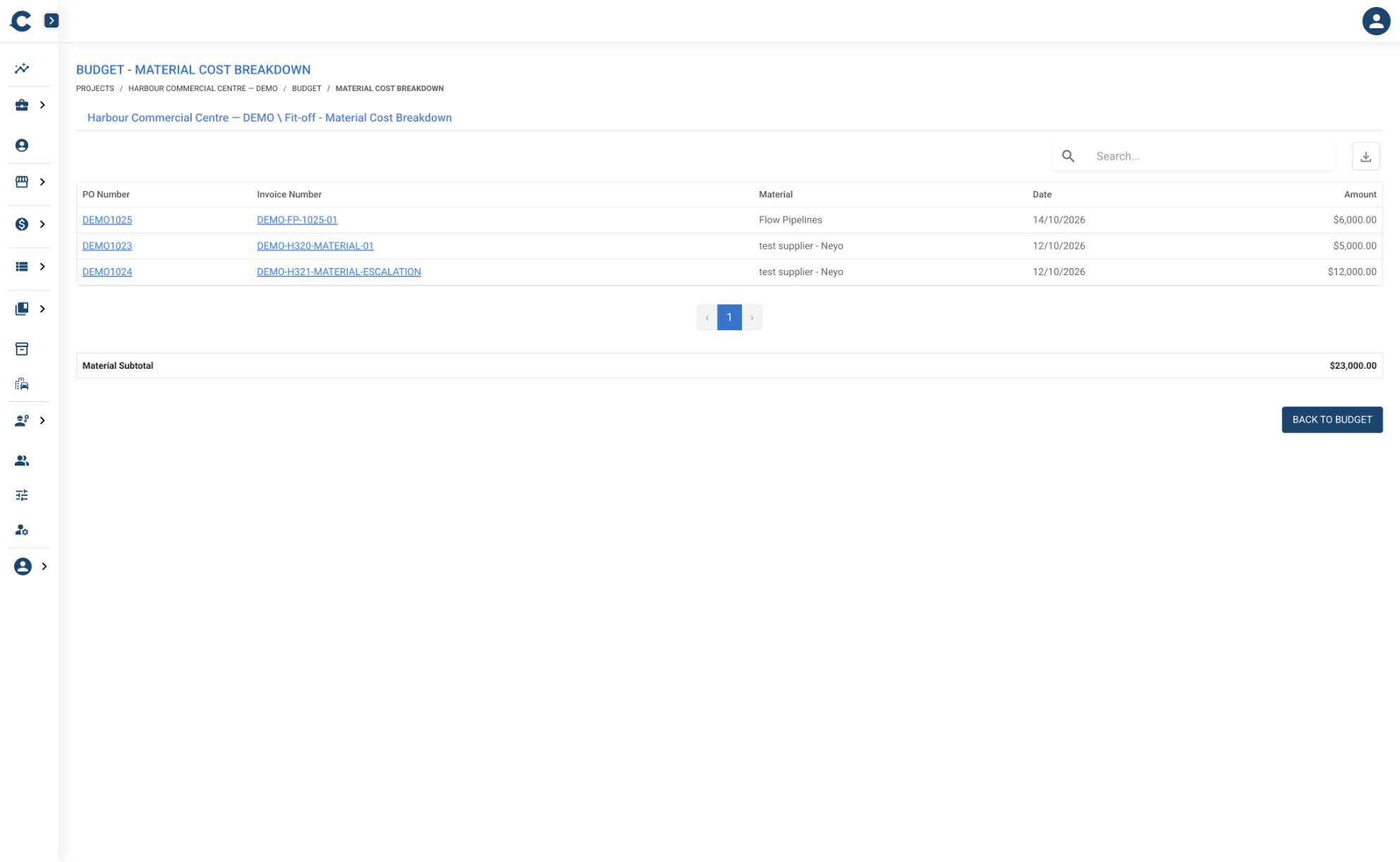
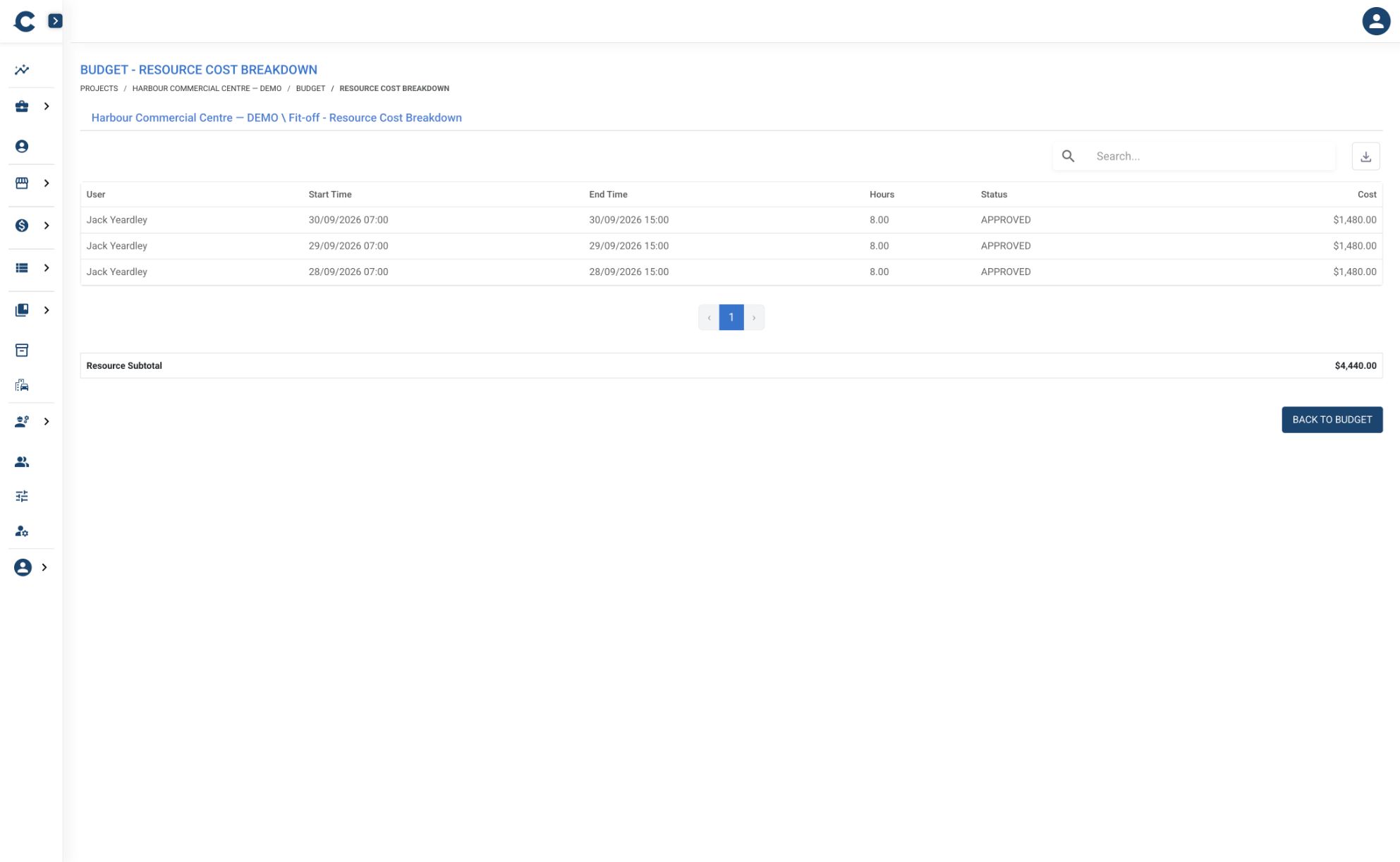
Investigate overruns. Check task history. Spot duplicate charges.
Bring an estimate and the cost report you use now. We’ll work through your questions in the demo.
What do you need to get a better handle on?
How do we price the next job?
Start with the estimate and the way your team prices work.
Explore estimating
Where does this job stand?
Look at the allowance, recorded costs and forecast together.
Explore budgets and forecasting
Where did the hours go?
Follow time from the task through submission and approval.
Explore crew scheduling and timesheets
What have we ordered?
Keep purchase orders and supplier invoices with the work.
Explore purchasing
What are we claiming?
Work through the claim against the client’s payment schedule.
Explore progress claims
Does the work match the payment schedule?
Separate work and payment breakdowns let you organise delivery without forcing it into the client’s claim structure.
See work and payment breakdowns
Before you choose software, put it through a real job.
Compare construction cost management platforms and use seven practical demo tests to check how each handles your estimating, purchasing, labour, claims and project budget.
Read online or download the PDF. Published by Contractable, with linked sources and feature availability notes.
See the product. Then start with one of your jobs.
Show us how you estimate, record costs and claim. We’ll work through the fit before configuring your account around your job.
One project up to AU$1,000,000, with up to 25 tasks and subtasks, unlimited office users and three Mobile users. Full platform. No expiry — free until you start a second project. Consultation first, then we configure the account around your job.