Start with reusable estimating templates
Prebuilt Item and Task Templates combine materials, contractor costs and labour. Apply quantities and configured cost and sales rates instead of rebuilding familiar assemblies each time.

Plant deliveries move. Installation sequences change. Commissioning is still ahead. Connect your estimate, purchasing, approved site hours and claims, so your team can review what is committed and what remains to finish.
Book an HVAC project demo →Bring a live job, your estimate or a scope of works.
A plant order lands before its invoice. A duct route changes after the quote. Installation takes longer than allowed. Commissioning is still ahead, but most of the labour budget is already spent.
Contractable brings those decisions back to the job budget. Separate what you allowed, what you have committed and what the work has actually cost—without waiting for the next accounting report.
Break the project into the work you need to control: plant, ductwork, pipework, controls, installation and commissioning. Keep material, subcontractor and labour allowances inside the relevant tasks.
Prebuilt Item and Task Templates combine materials, contractor costs and labour. Apply quantities and configured cost and sales rates instead of rebuilding familiar assemblies each time.
Price an alternative scope or equipment option and keep quote revisions organised. Your team still confirms the specification and quantities; Contractable carries the commercial detail.
Use the accepted job as the starting point for delivery. Keep the work breakdown that controls your costs separate from the payment breakdown agreed with the builder.
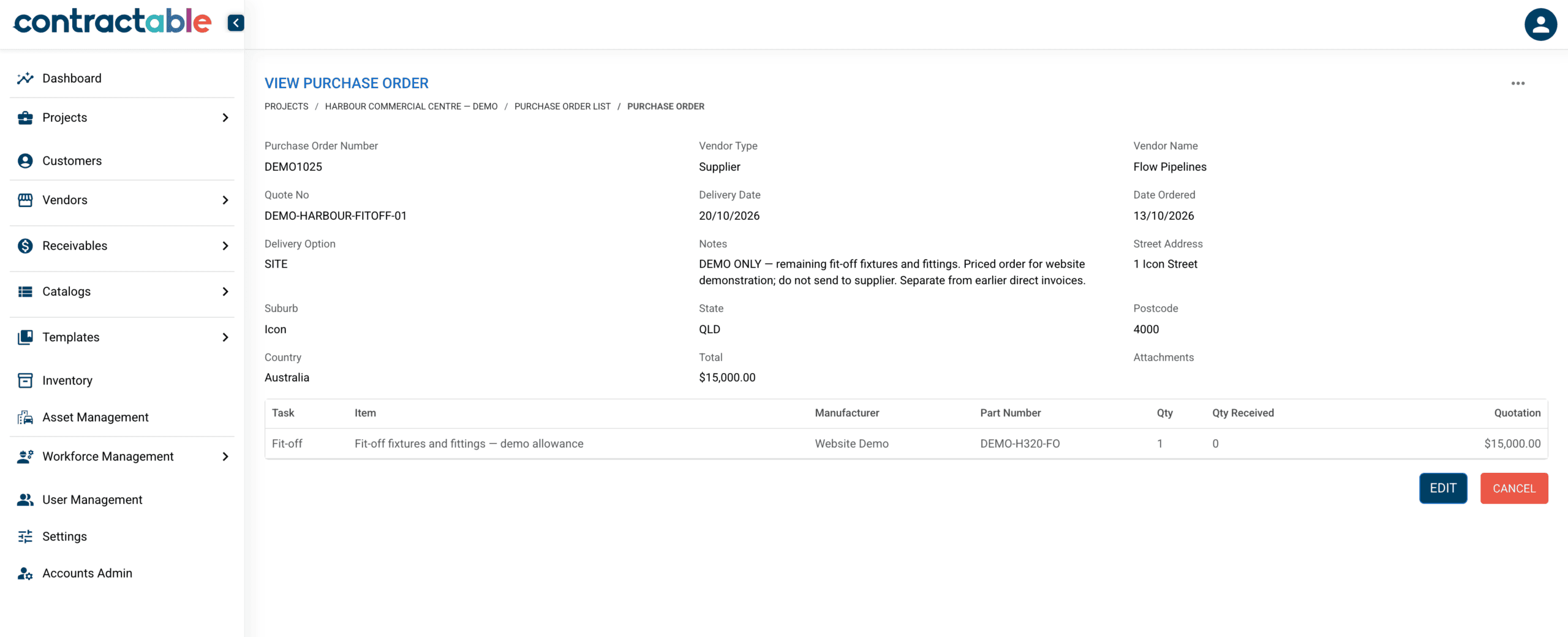
Order major plant against its project task. Raise work orders for duct installation, controls or testing and balancing against the packages they belong to. A priced order creates a commitment, even when the supplier has not invoiced yet.
When an invoice is recorded against the order, that portion becomes actual cost. The unbilled balance stays committed, so the same amount is not counted twice.
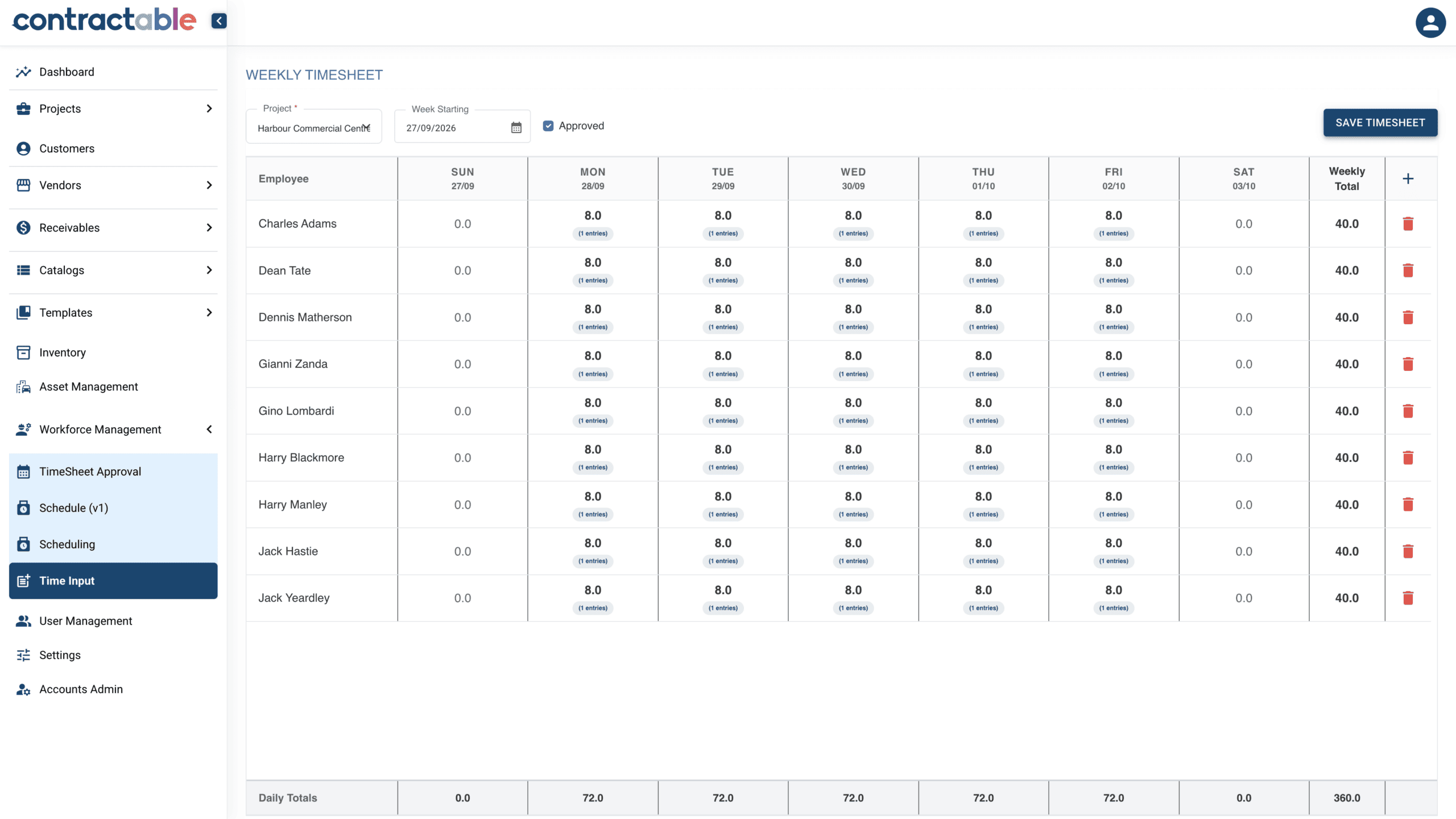
Your team records time from the mobile app against the work being done. Approved hours flow into project costs using your configured labour rates. Compare installation effort with the allowance while the job is running, and keep remaining fit-off and commissioning work in view.
Separate rough-in, plant installation, fit-off and commissioning so a single labour total does not hide which stage is consuming the allowance.
Keep the supervisor’s review in the workflow. Approved time gives the office a clearer cost picture and the field team a consistent recording process.
Configure rates for your resources and roles, including the cost assumptions your business uses. Rate setup and payroll processes are agreed during onboarding.
Price and record variations when the scope changes. Keep the additional plant, materials, labour and subcontract costs visible instead of absorbing them into the original allowance.
Prepare progress claims using the payment breakdown agreed with the builder, while project tasks continue to carry the cost detail needed to manage the work.
Track retention held by the builder and retention held from your own subcontractors. Keep those amounts visible through practical completion and the defects liability period.
Connect purchasing, receipt and invoice attribution to your project budget, then the accounting workflow. Contractable supports integrations with Xero, MYOB and QuickBooks; we confirm the supported transactions and your setup during onboarding.
Invoice capture, extraction and mapping are rolling out to accounts as they onboard. Ask to see the workflow in your consultation.
Explore accounting integration →A login is not an implementation. We work through your estimating structure, purchasing approvals and claim cycle, then help the team use them on a real project.
Bring an estimate, a scope of works and the way you break up a job. We identify the cost centres, roles and approvals you need.
Agree your templates, rate structure, purchasing documents and accounting connection. Establish a consistent starting point for the next project.
Work through a project with the people estimating, ordering, recording hours and claiming. Review the setup as your team starts using it.
This page focuses on commercial HVAC and mechanical project delivery: estimating, procurement, labour costs, variations, claims and retention. If you also run maintenance and call-outs, we can discuss how project control fits alongside your existing service workflow. We do not present Contractable here as a service dispatch or maintenance scheduling product.
Yes. Onboarding starts with your real estimating structure and supplier information. We agree how to map and migrate the relevant data, then configure reusable Item and Task Templates and rates. The scope of migration is confirmed before implementation.
No. Your design, takeoff and technical review processes establish the specification and quantities. Contractable connects the priced scope to project delivery and commercial control; it does not replace engineering sign-off.
An estimate or scope of works, an example purchase order, and the way you currently prepare a progress claim. We can walk through how those connect to the working budget and where your team needs better visibility.
Comparing systems? Use the buyer’s guide scorecard — seven demo tests and a whole-of-cost scorecard for comparing construction cost management software.
See how your estimate, plant orders, site hours and claims could work together—and what it would take to get your team set up.